
If you are thinking about selling on Etsy but are not sure what to sell, the first advice I always give is to do research.
If you already have a shop and are not sure why you are not getting views or sales, my advice is also to do research.
But I realise that “do research” is quite a vague piece of advice and you might not know how to go about this.
In this post I will clearly explain the research process I would follow.
A bit about my background: Before I became a 6-figure Etsy seller, I was actually a researcher. So this is my bread and butter!
There are 2 types of research that are important at different stages:
- Market research — broad research into what types of products and niches are selling well on Etsy
- Product research — a deep dive into a particular product type
I’ll take you through each of these with examples and screenshots.
But first, if you want to find out the best products to sell on Etsy in 2026, I have spent days doing the research for you. You can pick up my guide here: 6 Best Digital Products To Sell on Etsy in 2026
Market research
The first stage is market research, where you take a broad look at the types of products and niches that are selling well on Etsy, and their competition levels.
If I was at the stage of wanting to sell a new type of product on Etsy, I would do market research using these steps:
- Brainstorm ideas
- Look for evidence of demand
- Verify competition vs demand
- Generate more ideas
- Analyse ideas and find winners
Brainstorm ideas
First I would brainstorm ideas for products and niches based on what I’ve seen or heard of, and what I’m interested in. For example, a product could be “invitations” and a niche could be “wedding”.
I would then take these ideas into Etsy search. Before doing the searches I would look at the auto-complete suggestions.
Then I would do the searches and look for other ideas in the search results.
If I really had no ideas to start with, I would just enter a very broad search term into Etsy like “digital download” or “printable” and see what came up.
I’d put all these ideas into a list.
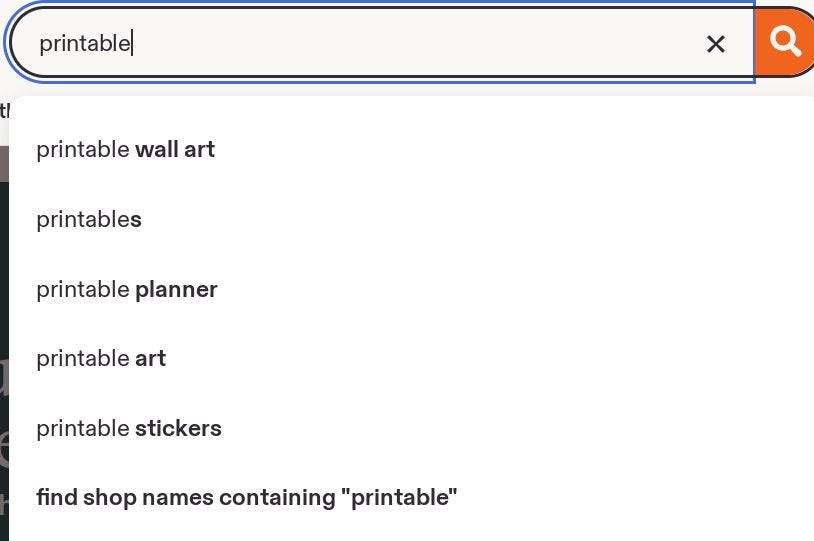 Etsy search auto-complete suggestions
Look for evidence of demand
I would look through the Etsy search results for the ideas I brainstormed and look for “Bestseller” and “Popular now” badges. I would want to see several of these on the first page as a rough indicator of current demand.
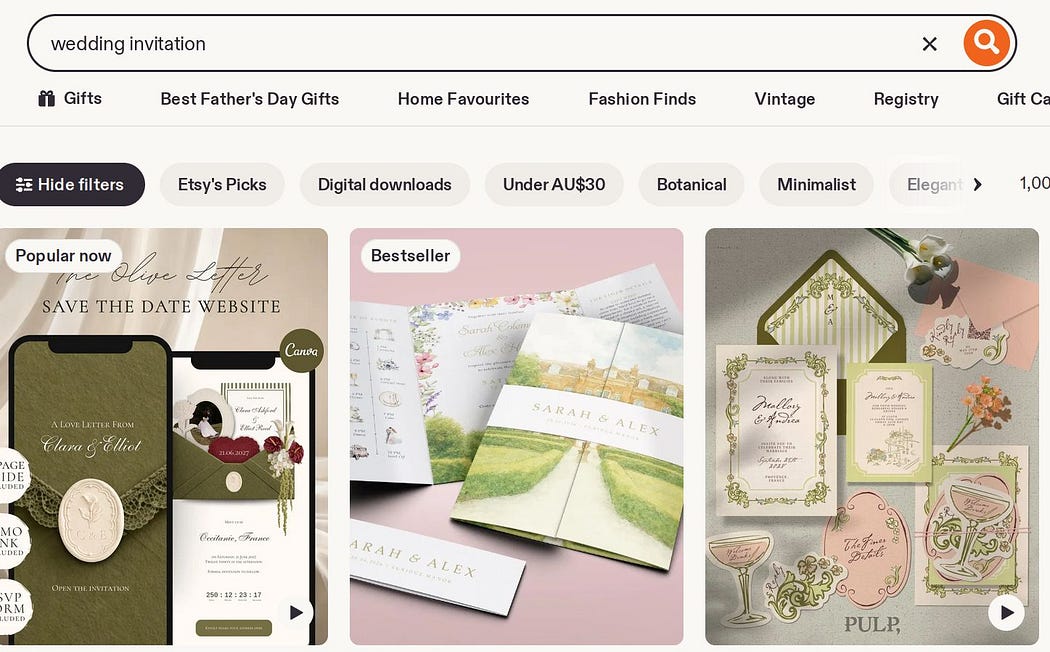 Example of “Bestseller” and “Popular now” on Etsy search results
Verify competition and demand
Using either Etsy Marketplace Insights or a 3rd party tool like eRank*, I would search for the keywords I identified earlier and note the competition (search volume) and demand (number of listings).
I prefer eRank over Etsy’s tool as it gives 12 month averages rather than Etsy’s past 30-day view. I also like that eRank gives a keyword difficulty score for each keyword and it has CSV export which saves a lot of time!
Note: I would do these searches one by one in eRank rather than in bulk, so that it generates more ideas for the next step.
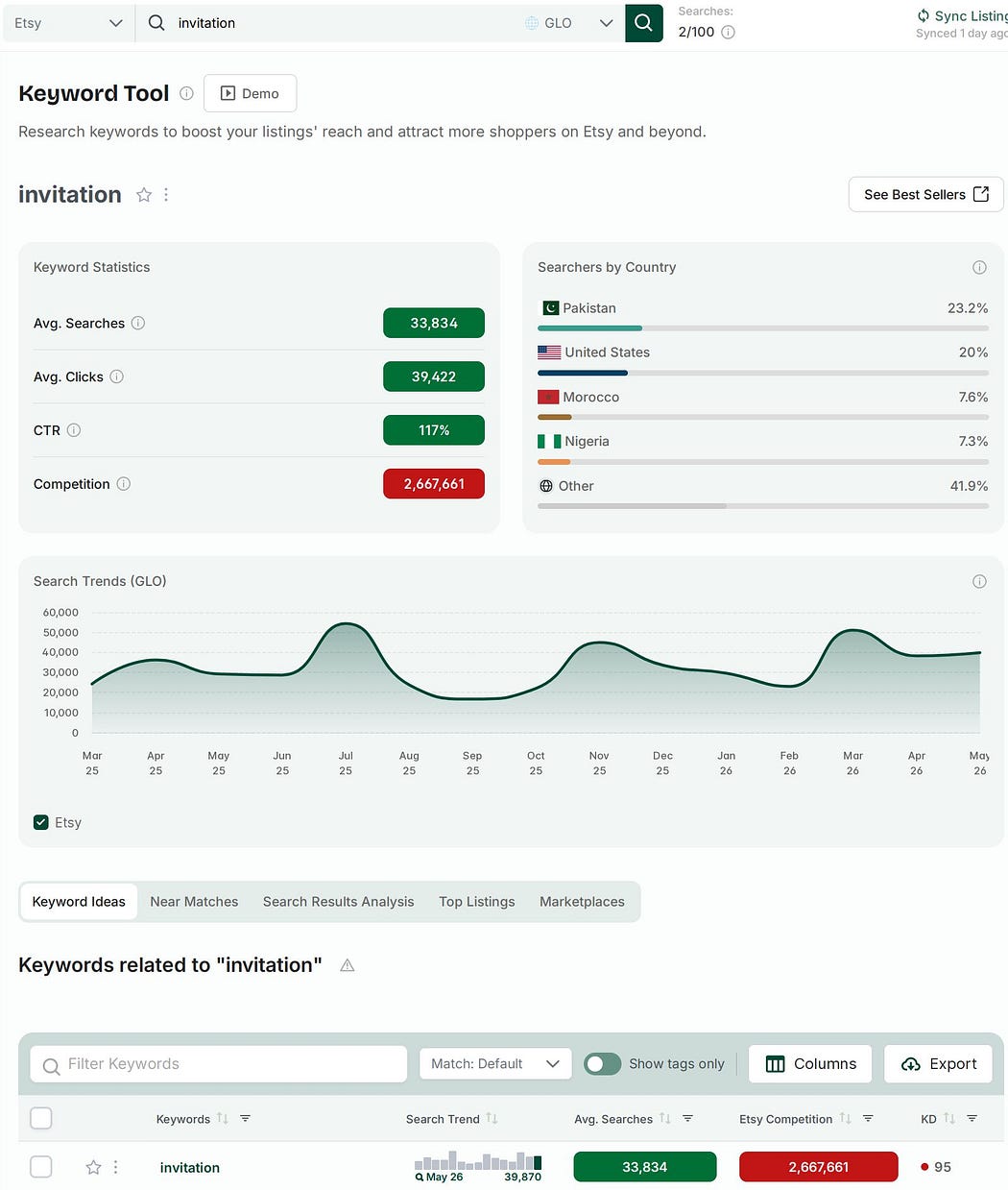 Results overview from eRank’s Keyword Tool for “invitation”. Note the time period in the graph is more than 1 year.
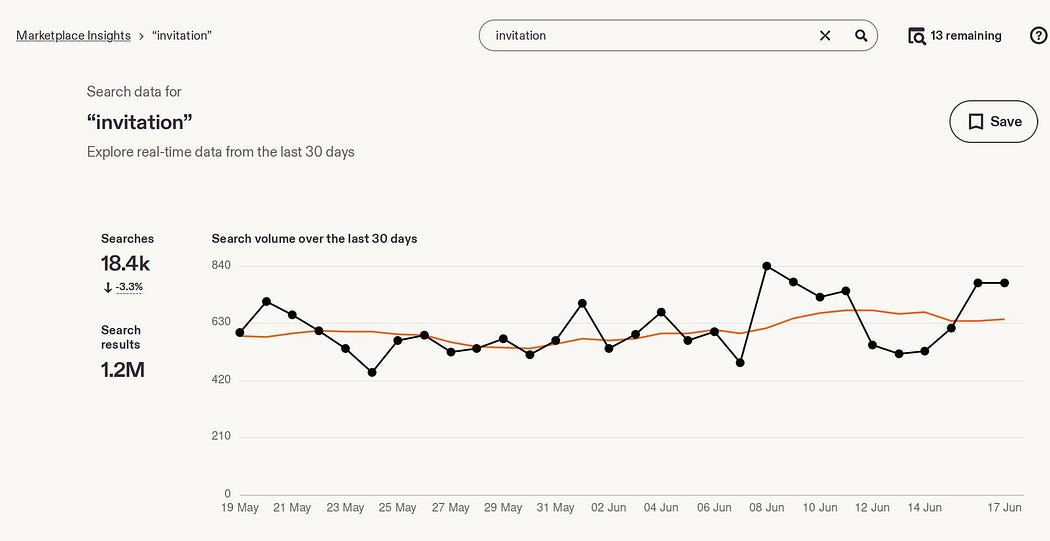 Results overview from Etsy’s Marketplace Insights Tool for “invitation”. Note the time period in the graph is 30 days.
Why are the numbers different?
You might have noticed that the search and competition numbers are different in these 2 tools. The biggest reason is that Etsy’s data are for the past 30 days whereas eRank’s are averaged over the past 12 months.
Another reason for discrepancies is that eRank’s data are estimated whereas Etsy’s are the source of truth.
However, I wouldn’t get too hung up on the exact numbers here. It’s more important to notice the relative differences between keywords, and the ratio of searches to competition.
Generate more ideas
Both Etsy’s tool and eRank give related keyword suggestions. I would go through these and make a note of anything promising. I would only keep keywords with a monthly search volume of at least 500. I would transfer all the data into my own spreadsheet (I use Google Sheets).
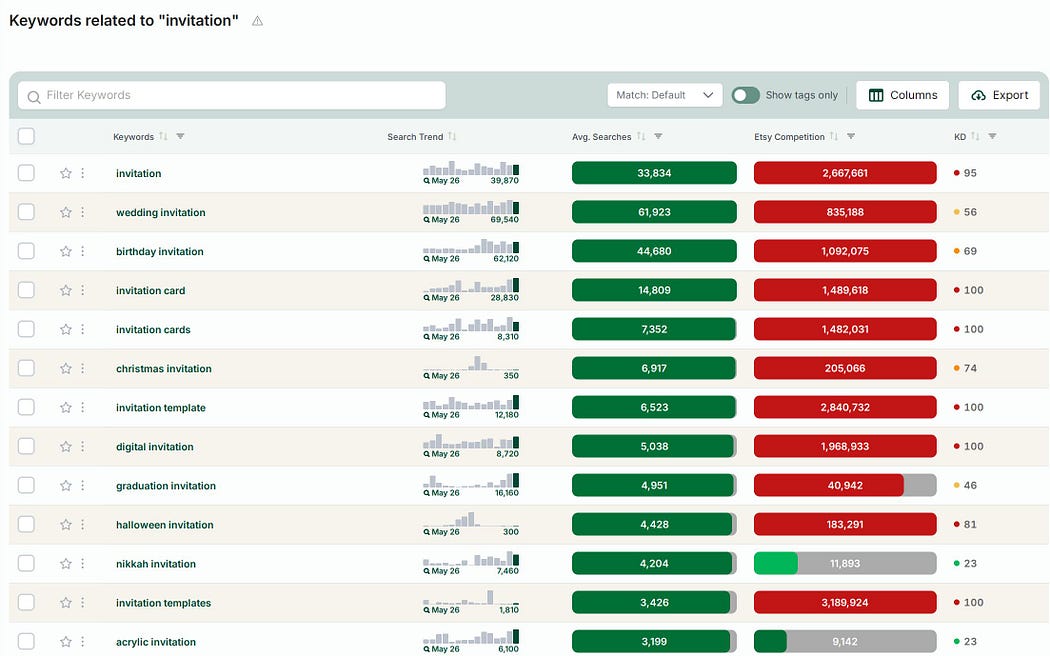 Keyword suggestions from eRank. Note the KD (keyword difficulty) column and the Export button. Both very handy! Also note that these numbers are averages over the past 12 months.
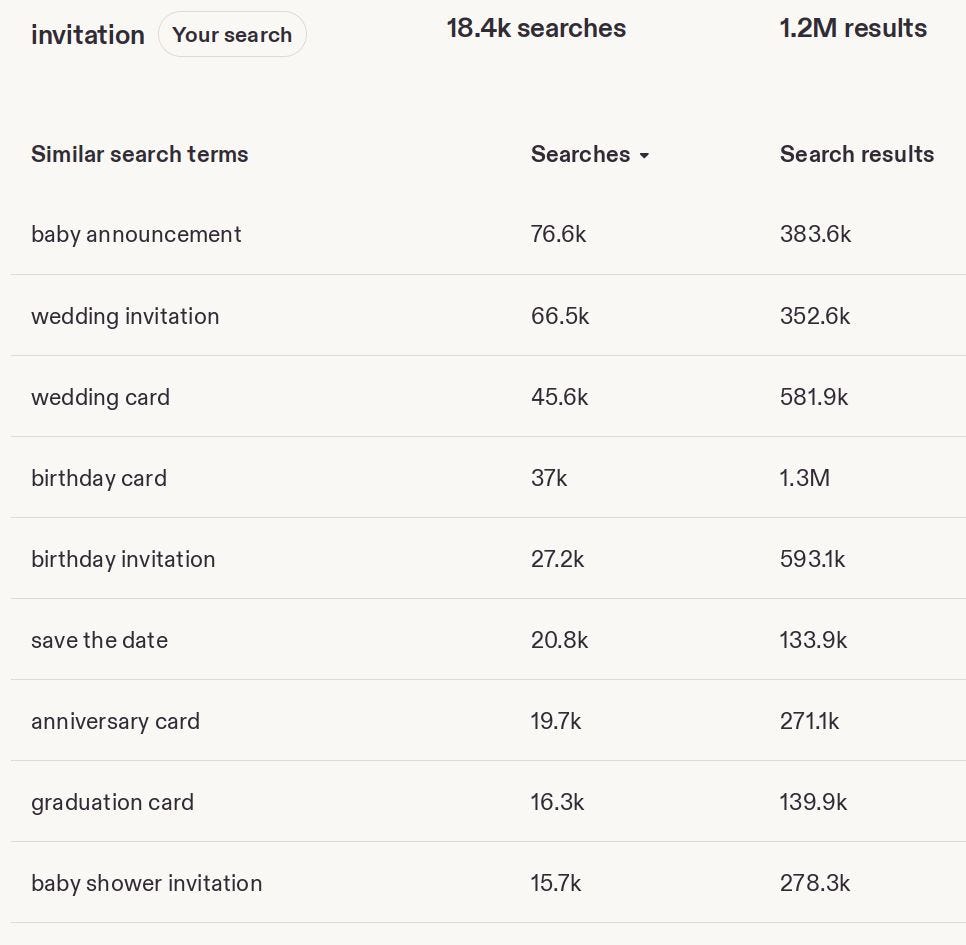 Keyword suggestions from Etsy’s Marketplace Insights tool. Note that these numbers are for the past 30 days only.
Analyse ideas and find winners
I would sort the list by keyword difficulty (or a ratio of searches to search volume, if I used Etsy’s tool), and I would add conditional formatting to colour code them (optional, but it’s fun and makes it much clearer!)
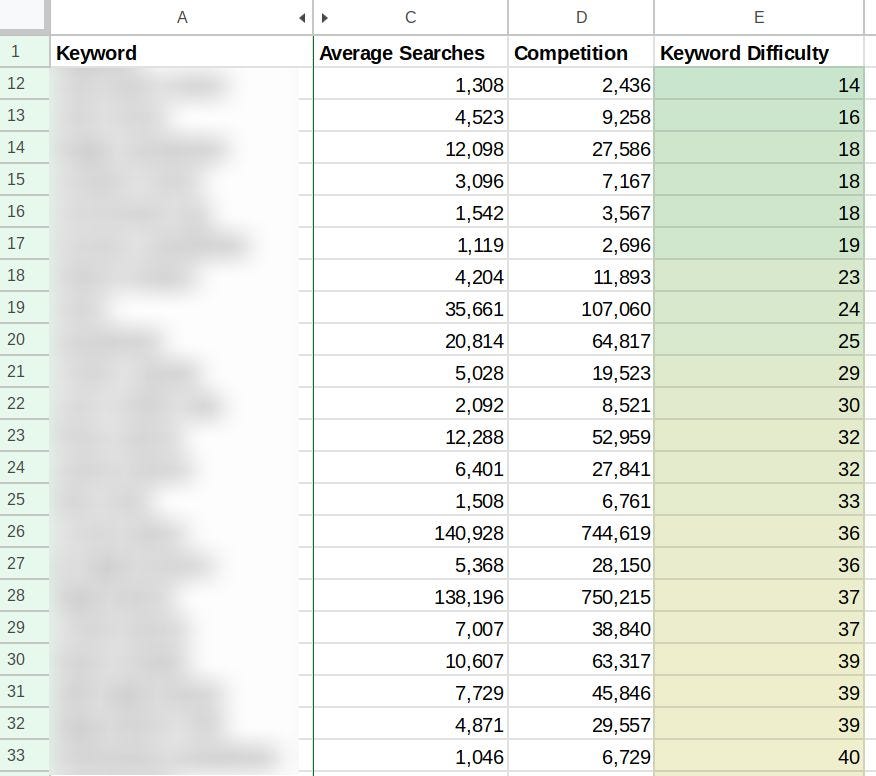 What your spreadsheet could look like after doing this market research, with keywords, search volume, competition and keyword difficulty colour-coded.
Those with the lowest keyword difficulty are my potential winners.
I would go through those and decide which ideas align with my own skills and passions. This is very important as I will need to make a lot of products to succeed.
We now have our product type and niche(s) selected, but we’re not finished with research yet! The next phase of research is just as important.
Product research
The next stage is product research, where you analyse competitors’ products to understand common patterns in what works well and find areas where there is room for improvement.
Now that I know what I will be selling, rather than immediately starting on my designs (a temptation!), it is best to understand what is already selling well on Etsy and where there are gaps in the market.
I would do this by finding “exemplars” — the best examples of successful products on Etsy.
How would I identify these? The first place is Etsy itself. Once again I would be looking for listings with “Bestseller” or “Popular now” badges.
I would go through each listing a make a note of things like:
Product:
- Colour palette
- Aesthetic style
- Features
- Number of pages or size
- Reviews, both positive and negative
Listing:
- Titles
- Tags (see note below)
- Descriptions
- Thumbnails and other images
- Pricing
I would use a Canva whiteboard to gather my observations using sticky notes, and I would also paste in screenshots as a visual aid.
The goal here is not to copy individual products or listings! It is to find overarching patterns in the products and listings. What makes these successful? And equally important, what are they missing that I could provide?
A note about 3rd party tools
The other way you can find these exemplars is using 3rd party tools. I’ve tried a few and I like Alura* and eRank* for this.
Alura’s Product Finder is nice to use because of the large product images and comprehensive filters, but you would need a mid-tier plan to access their full database of products.
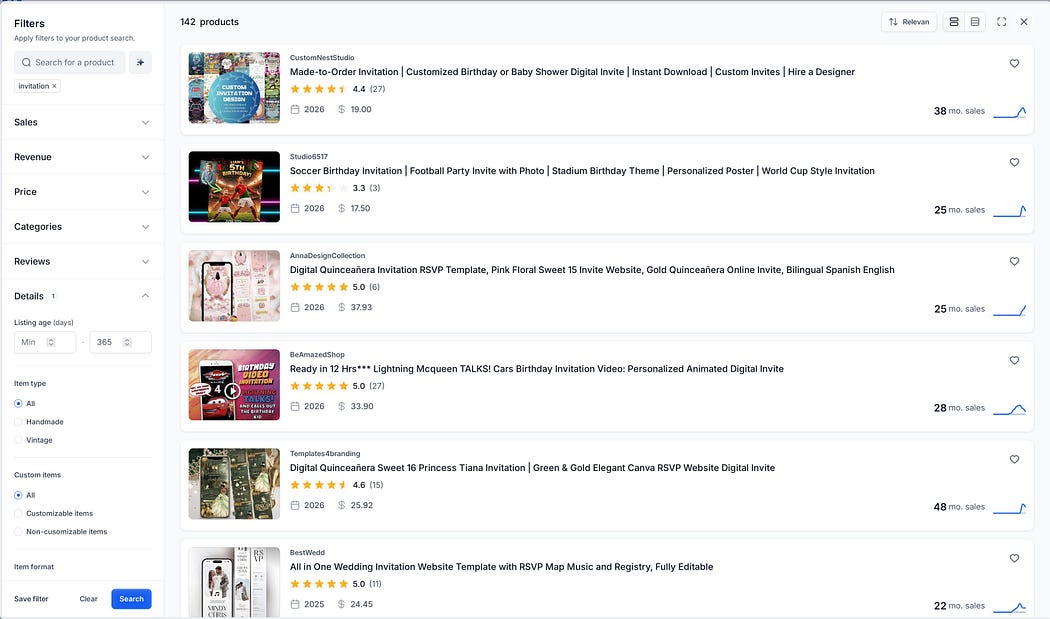 Alura’s Product Finder. Results for “invitation”.
eRank’s Top Listings is part of their Keyword tool results. It only covers the top 100 listings but it is great value. In fact I believe you get a few free uses of this per day.
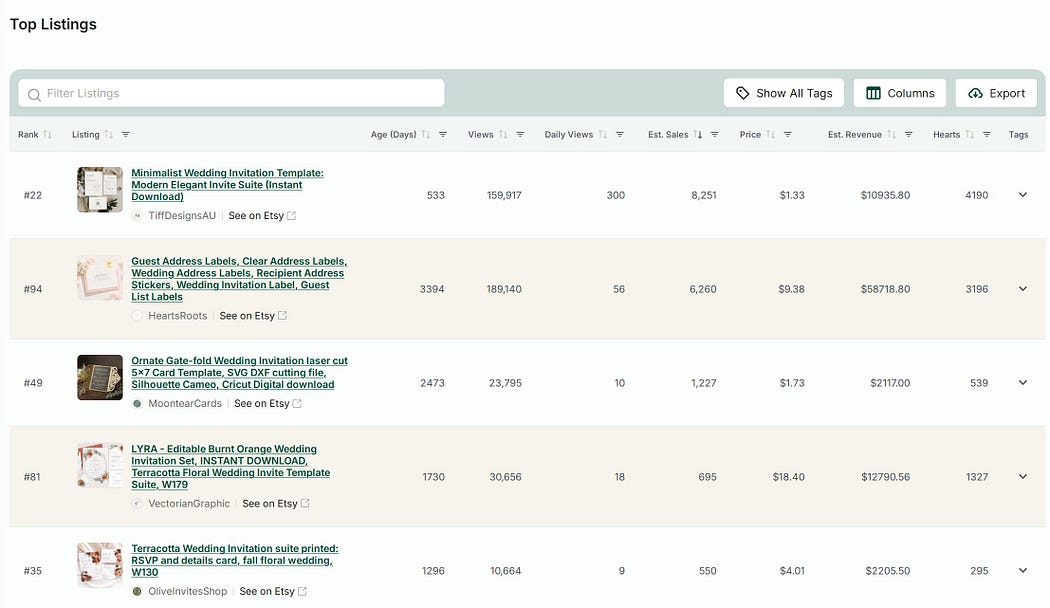 eRank’s Top Listings. Results for “wedding invitation”.
The advantage of using these tools is that you can get a better idea of volume of sales, and can filter to newer products. But the disadvantage is that these catalogues don’t cover every product released and can be out-of-date. This can be a problem when your product is highly seasonal.
You should also be aware that most of the numbers in these tools are estimates only, as Etsy does not share sales data on a product level.
One area where 3rd party tools shine is their ability to display the tags for competitors’ listings. My preferred tool for this is eRank*. What I also found useful in the beginning was to look at the entire set of tags used by a competitor shop and sort them by keyword difficulty. I found a few low competition gems this way in my shop’s early days.
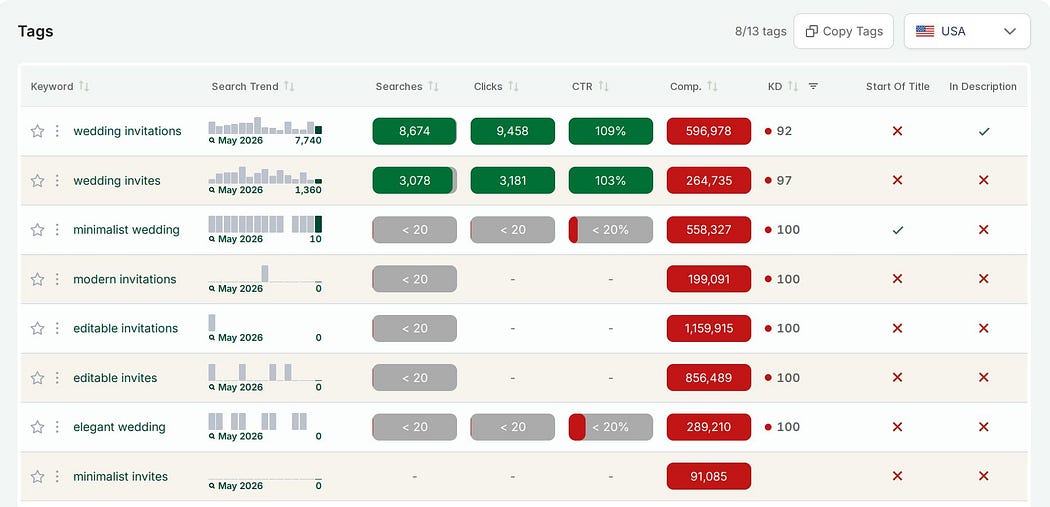 eRank can show tags for a particular listing, as shown here, or for a full shop.
So, in summary:
How to do research for Etsy
First, do broad market research to find out which products and niches sell best on Etsy, and have reasonable levels of competition. Brainstorm a list of keywords and then check it against Etsy and other keyword research tools. Prioritise this list based on keyword difficulty and find the overlap with your own skills and passions.
Next, deep dive into product research to understand what is working well for your competitors and where there is room for improvement. Again, this research can be done directly on Etsy, though other tools can be useful for analysing tags. Use a digital whiteboard to gather notes and screenshots about both products and listings, to make it easier to find common patterns.
This post may have made you feel excited to go off and do your own market and product research.
Or it might have made you feel like you wish someone else would do it for you! If so, I have good news. I spent days researching the top products and niches to sell on Etsy, based on demand and competition levels over the past 12 months, as well as the top shops from 2025. You can get this guide here: 6 Best Digital Products To Sell on Etsy in 2026
* This post contains affiliate links. If you choose to sign up through my link I may earn a small commission at no extra cost to you.
I only have affiliate links for tools I have personally used and found helpful.